Orijin School · NFC student card
The student card that pays, signs in and stays under a parent’s control.
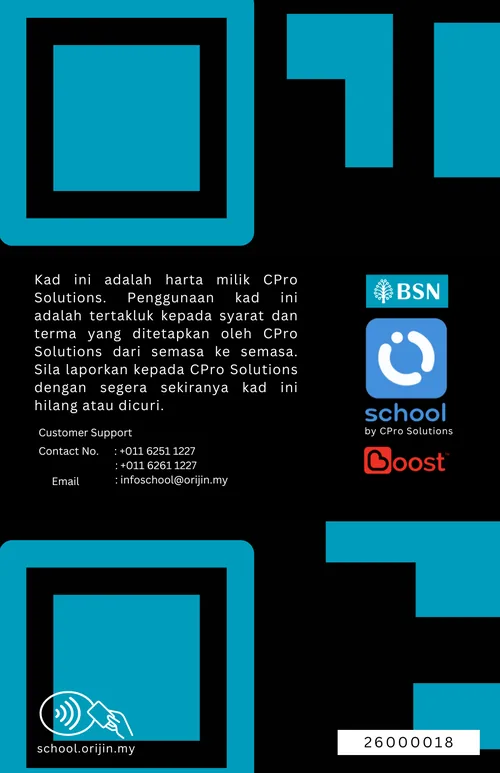
The Orijin School Card is a contactless NFC card co-branded with BSN. Students tap it to pay at the canteen or bookshop and to record attendance and outings. Spending comes from the family wallet, within the daily limit the parent sets.
Why it exists
The problem it solves
Schools need one credential that works for payment and attendance, that a child can carry safely, and that a parent can stop instantly if it goes missing.
Kad Pelajar NFC: Pendaftaran dan pembayaran kad melalui aplikasi Orijin School. Untuk murid, penjaga dan guru — digunakan untuk membeli di kantin dan kedai buku serta merekod kehadiran dan outing.
Who uses it
- Students (Murid)
- Guardians (Penjaga)
- Teachers (Guru)
Benefits
- One card for payment and attendance
- Spending capped by the parent, per day
- Can be frozen instantly from the app
- Teaches students to manage money safely
Features
What it does
Contactless NFC
Tap-to-pay on Orijin EDC terminals and tap-to-record on Orijin Soundbox attendance terminals.
Photo ID & school name
Each card carries the student’s photo, name and school, plus a QR code and card number.
For students, guardians and teachers
Cards are available for Murid, Penjaga and Guru, all registered through the Orijin School app.
Daily limit
Payments draw from the family wallet up to the daily limit set for that card.
Freeze if lost
A lost or stolen card can be frozen from the app. The card remains the property of CPro Solutions and should be reported immediately.
Co-branded designs
Cards carry BSN and Orijin School branding, with student-friendly designs for primary schools.
In use
Product in use
Workflow
How it works
Order in the app
Parents register and pay for the card through “Beli Kad” in the Orijin School app.
Issue
The personalised card is issued to the student through the school.
Link & limit
The card appears in the parent’s card list with its own daily limit.
Tap
The student taps at the canteen, bookshop or attendance terminal.
Deployment
Where it runs today
Issued to students in schools participating in the BSN Cashless School Programme.
Integrations
- BSN Orijin School app
- Orijin EDC terminals
- Orijin Soundbox
- Boost e-wallet
FAQ
Questions from parents & students
Who can open an Orijin School account?
The primary account holder must be an adult aged 18 or above. Children under 18 are added by the adult as supplementary users (“Trusted Persons”) and use their Orijin School Card to spend from the shared wallet.
Can I control how much my child spends?
Yes. In the BSN Orijin School app you set a daily limit (Had Harian) for each child’s card — choose RM5, RM10, RM30, RM50 or enter your own amount. Card payments stop once the day’s limit is reached.
How do I add money to the wallet?
Tap “Tambah Nilai” on the wallet in the app and follow the payment steps shown. Fees and charges, where they apply, are published in the Product Disclosure Sheet at school.orijin.my.
Is the wallet regulated?
Wallet balances are e-money issued in collaboration with a licensed e-money issuer, and wallet limits follow Bank Negara Malaysia requirements. Higher wallet limits are available after customer due diligence and eKYC in the app.
Will I know when my child uses the card or arrives at school?
Purchases appear in the app’s transaction list, and attendance taps appear in the Kehadiran module. Parents receive notifications for attendance and purchases through the app.
Related products
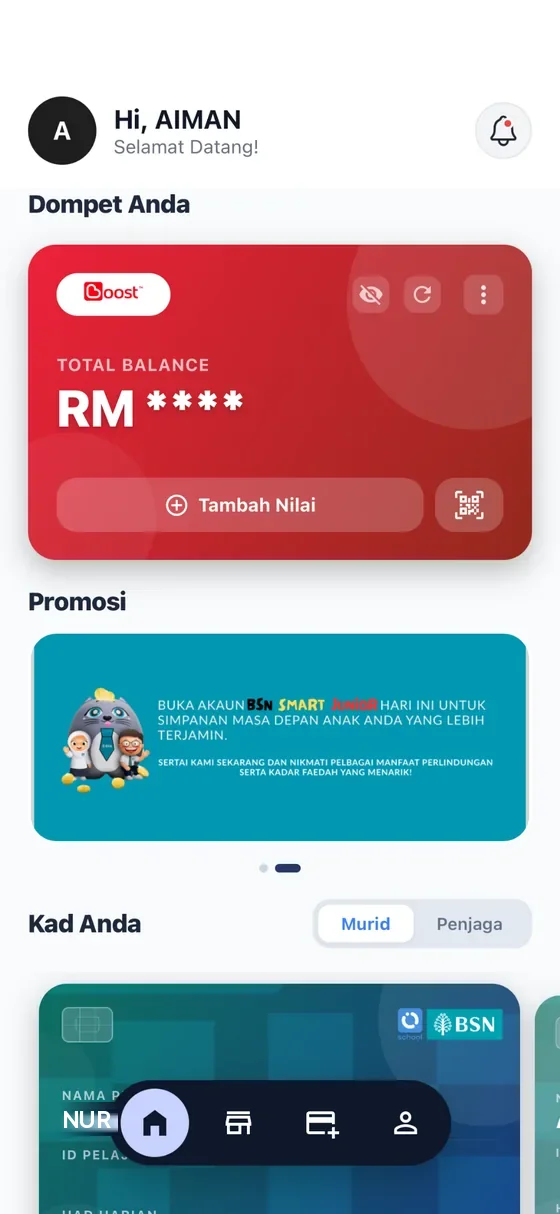
BSN Orijin School app
The parent app and wallet behind BSN’s cashless school programme: top up, set daily limits, see every purchase and every attendance tap.
View BSN Orijin School app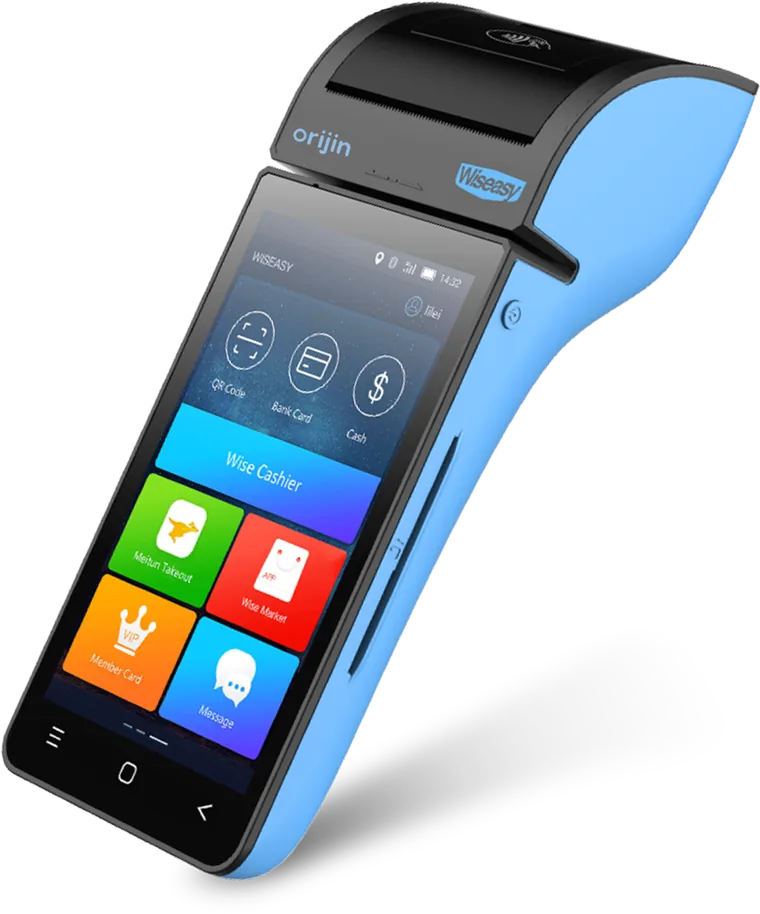
Orijin EDC & Soundbox terminals
Android payment terminals for canteens, bookshops and merchants, plus Soundbox terminals for attendance and outing taps — all managed remotely.
View Orijin EDC & Soundbox terminalsNext step
Tell us what you need to run without cash.
Whether you are rolling out a cashless school, adding card payments at a counter or automating reconciliation, we will show you how it works with your systems.